
Analyze Skydio X10 thermal images directly in CRITIR, no conversion needed
CRITIR now supports the Skydio X10 (VT300-Z payload). Read its FLIR Boson+ radiometric R-JPEG thermal images directly — no conversion — and run temperature analysis, facade orthoimage generation, measurement projection, and reporting in one app. Built for facade, solar, and infrastructure inspection workflows.
Key points
- Now supported: CRITIR supports the Skydio X10 (thermal payload VT300-Z).
- No conversion needed: Skydio X10 thermal images are Teledyne FLIR Boson+ radiometric R-JPEGs. CRITIR reads and analyzes them directly — no conversion step.
- One seamless workflow: Go beyond per-image temperature checks — facade orthoimage generation, measurement projection, and report creation in a single app. Built for facade, solar-panel, and infrastructure inspection.
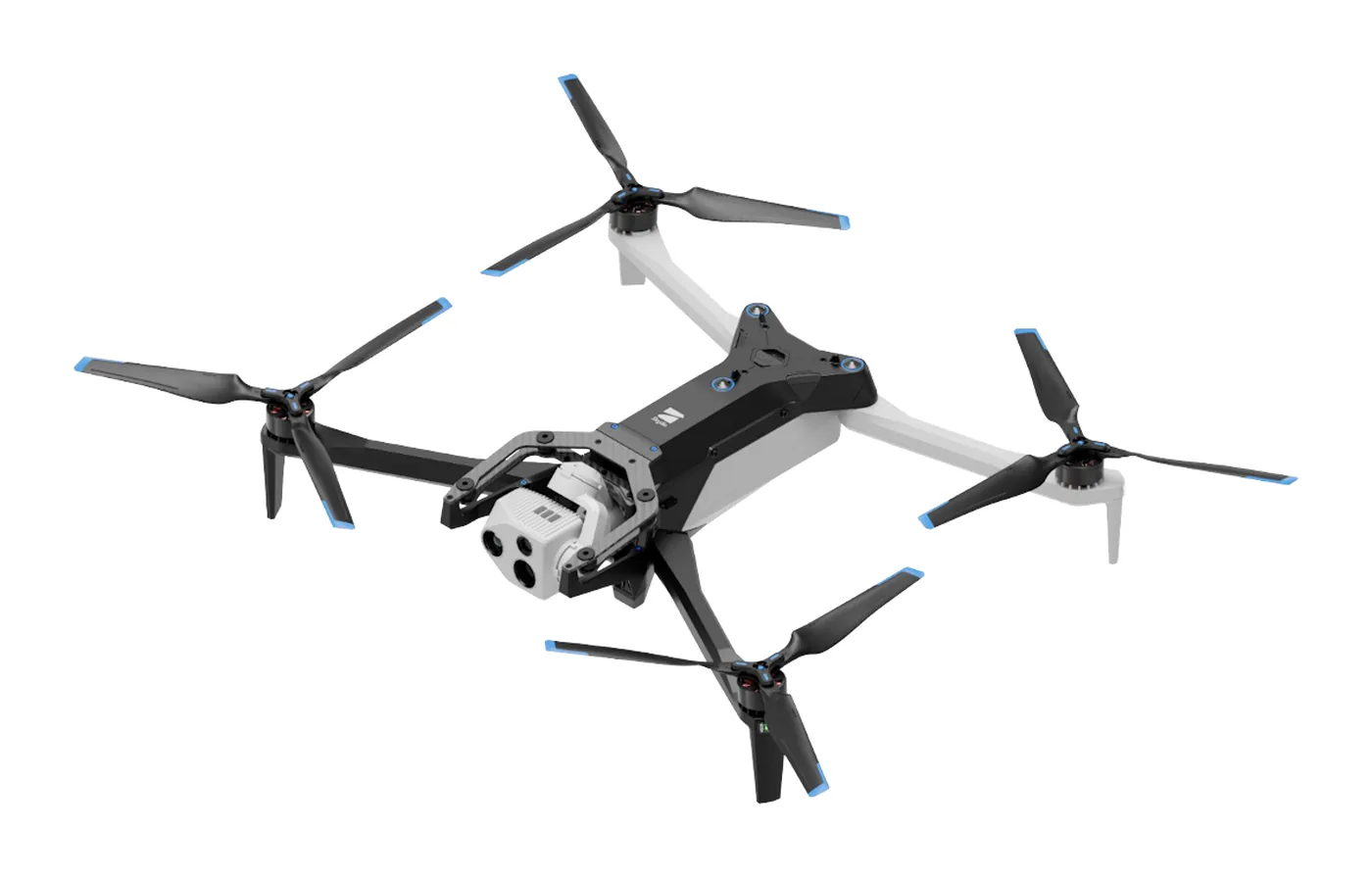
About the Skydio X10
The Skydio X10 is an industrial drone from Skydio (USA), known for its strong autonomous flight. It is increasingly used for solar-panel inspection, bridge and infrastructure inspection, and building facade surveys.
Its thermal payload VT300-Z carries a Teledyne FLIR Boson+ radiometric thermal module. As an uncooled bolometer it is highly sensitive, and it captures absolute temperature for every pixel.
What the Skydio X10's R-JPEG is
Skydio X10 thermal images are saved as radiometric JPEGs (R-JPEG) — each pixel carries temperature data, so you can read the temperature at any point later, or recompute it after changing parameters such as emissivity.
What matters here is that Skydio's R-JPEG is a FLIR Boson-based, FLIR-compatible format. In contrast to DJI R-JPEGs — a DJI-proprietary format that FLIR software cannot read directly — Skydio X10 thermal images already carry FLIR's temperature-conversion parameters (Planck constants, etc.).
- Thermal resolution: 640×512 (FLIR Boson core)
- Visible image: high-resolution ~64MP (9248×6944), saved as a separate file from the thermal
- Metadata: GPS / RTK / camera orientation and other capture data are preserved
What sets CRITIR apart — from single-image analysis to an inspection workflow
Because the Skydio X10's R-JPEG is FLIR-compatible, per-image temperature checks and reports are possible in FLIR Tools or FLIR Thermal Studio too. For facade, solar-array, and infrastructure inspections, though, you rarely work with a single image — you work with hundreds to thousands of them.
CRITIR is built to complete an inspection workflow at that scale in a single app:
- Generate a facade orthoimage from many images to see the whole structure at once
- Pair and align thermal with the high-resolution visible to view temperature and detail together
- Project a single measurement across all related images, eliminating double work
- Output results as polished reports (PDF / Word / Excel / DXF)
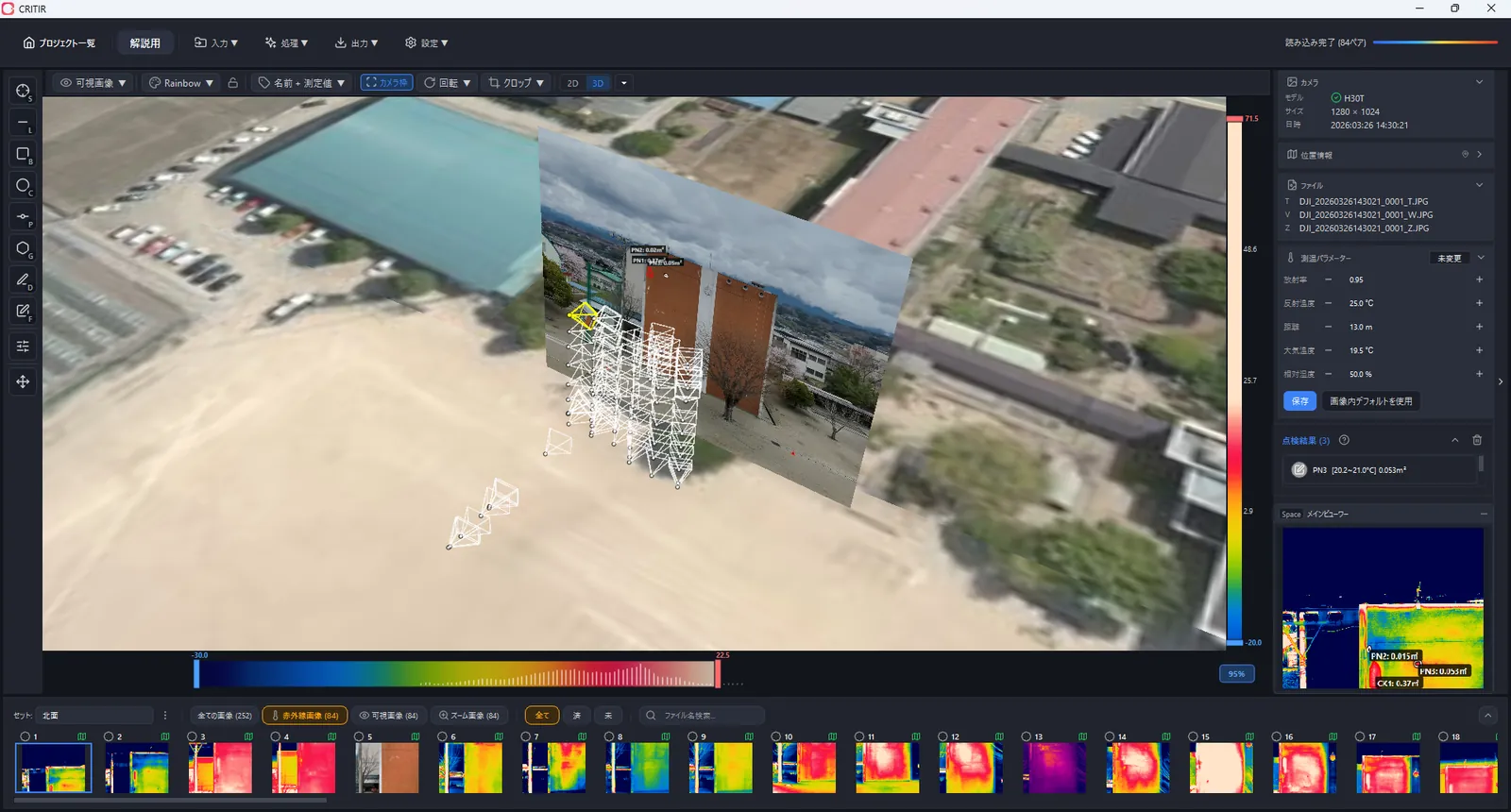
CRITIR supports the Skydio X10 — from analysis to reports, no conversion
CRITIR is thermal analysis software built to complete the on-site drone-inspection workflow in one app. It now supports the Skydio X10 (VT300-Z).
CRITIR reads Skydio X10 thermal R-JPEGs directly, with no conversion step, so you can go straight to temperature analysis. It also automatically pairs the ~64MP visible image with the thermal, aligns them, and then handles the rest end to end.
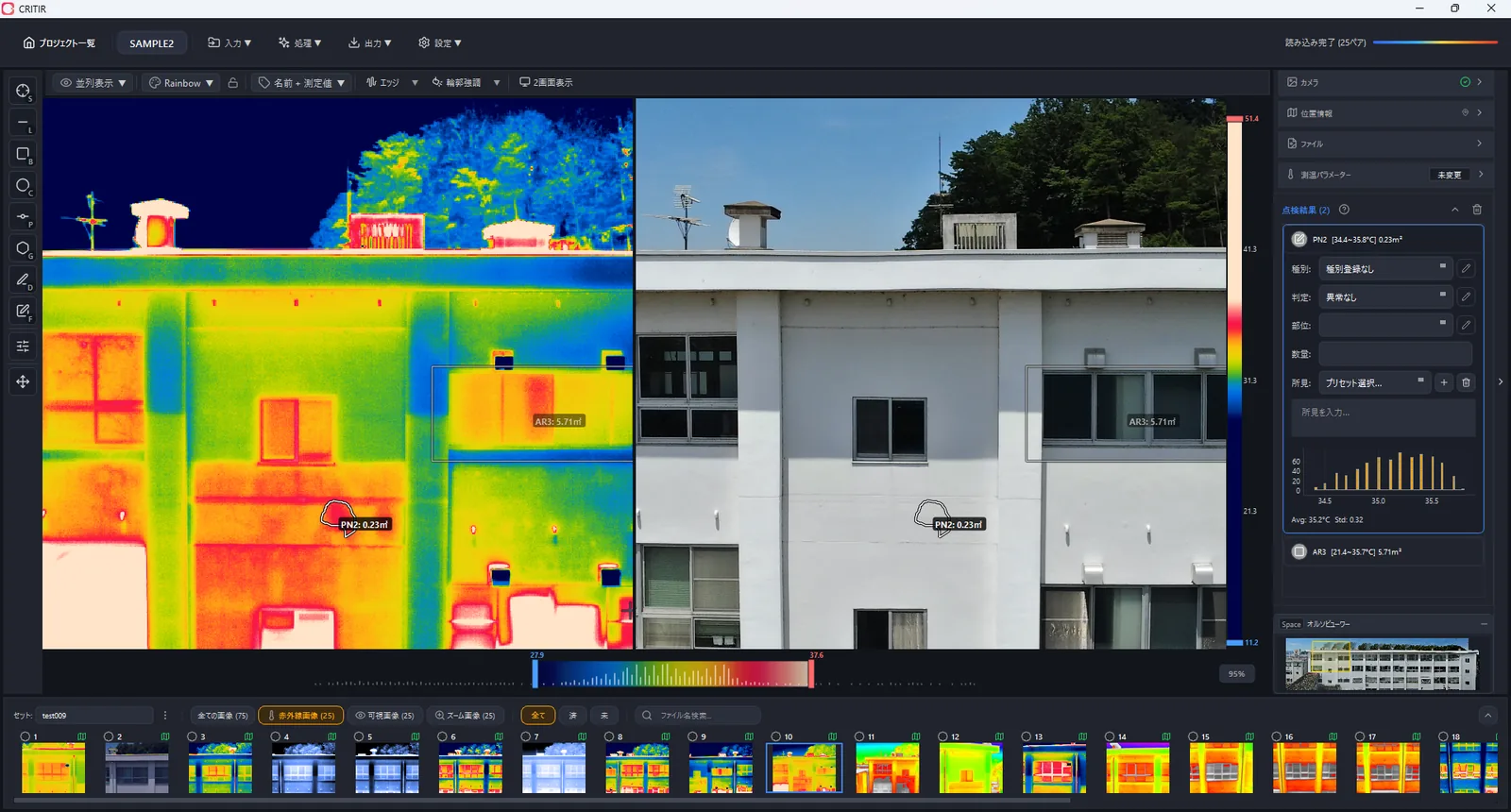
What you can do in CRITIR
- Temperature analysis: point measurements, plus recomputation via measurement parameters (emissivity, reflected temperature, distance)
- Automatic facade orthoimage generation: build a facade orthoimage from many images (thermal orthoimages too)
- Measurement projection (image linking): reflect one measurement or finding across the other corresponding images automatically
- Report creation: PDF / Word / Excel / DXF output, with a built-in template builder
- Cross-manufacturer: analyze DJI / FLIR / HIKMICRO / Fluke / Skydio together, with no conversion
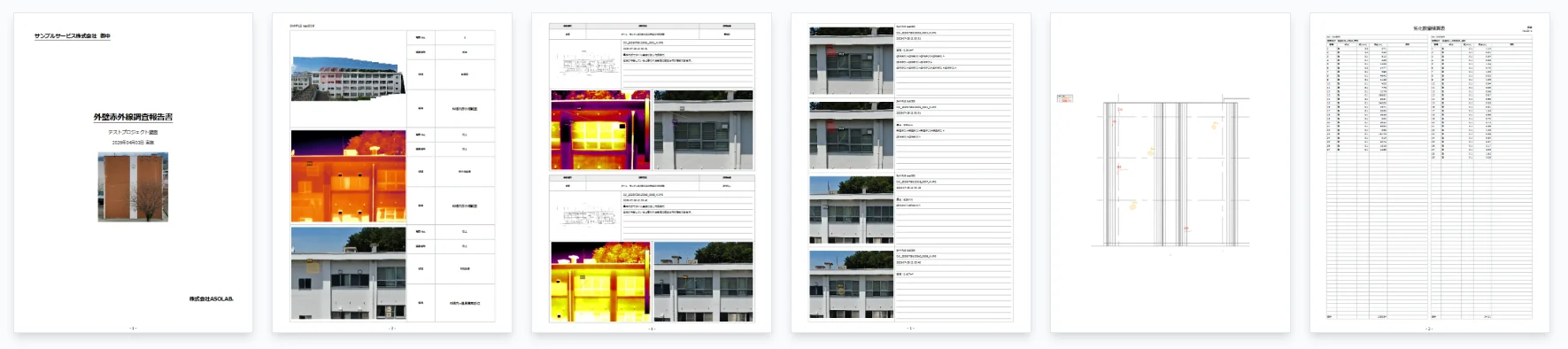
How the support works, technically
CRITIR handles Skydio X10 data as follows:
- The thermal (640×512) is decoded as a radiometric R-JPEG into temperature
- The visible (~64MP) is imported as a separate file and paired with the thermal by a sequential-number rule
- A per-model calibration enables overlay display and coordinate correspondence between thermal and visible
- Capture metadata (GPS, heading, camera orientation) is preserved and used for orthoimage generation and geolocation
In other words, you can take Skydio X10 thermal data for facades, solar arrays, and infrastructure and run it in its captured format all the way from temperature analysis to report creation.
We're always adding cameras — request yours
CRITIR is actively adding support for new cameras and models, as we did here for the Skydio X10. If your camera isn't on the current supported cameras list yet, you can request it.
Send us a few sample image pairs (thermal + visible) and we'll calibrate and add your model to the supported list. Even a quick "does CRITIR work with this camera?" question is welcome.
Open the support request form →
Summary
- Skydio X10 thermal images are FLIR Boson+ radiometric R-JPEGs — no conversion needed.
- CRITIR supports the Skydio X10 (VT300-Z) and completes temperature analysis, facade orthoimages, measurement projection, and reporting in a single app.
- It also supports DJI / FLIR / HIKMICRO / Fluke, so mixed-fleet sites can run on one workflow.
- Developed by ASOLAB Inc. in Matsumoto, Nagano — a drone services company — based on hands-on experience running real inspections.
If you want to take Skydio X10 thermal data from analysis to reporting in its captured format, please reach out through the contact form. See the supported cameras and documentation for details.
Published: June 3, 2026 · Last updated: June 3, 2026
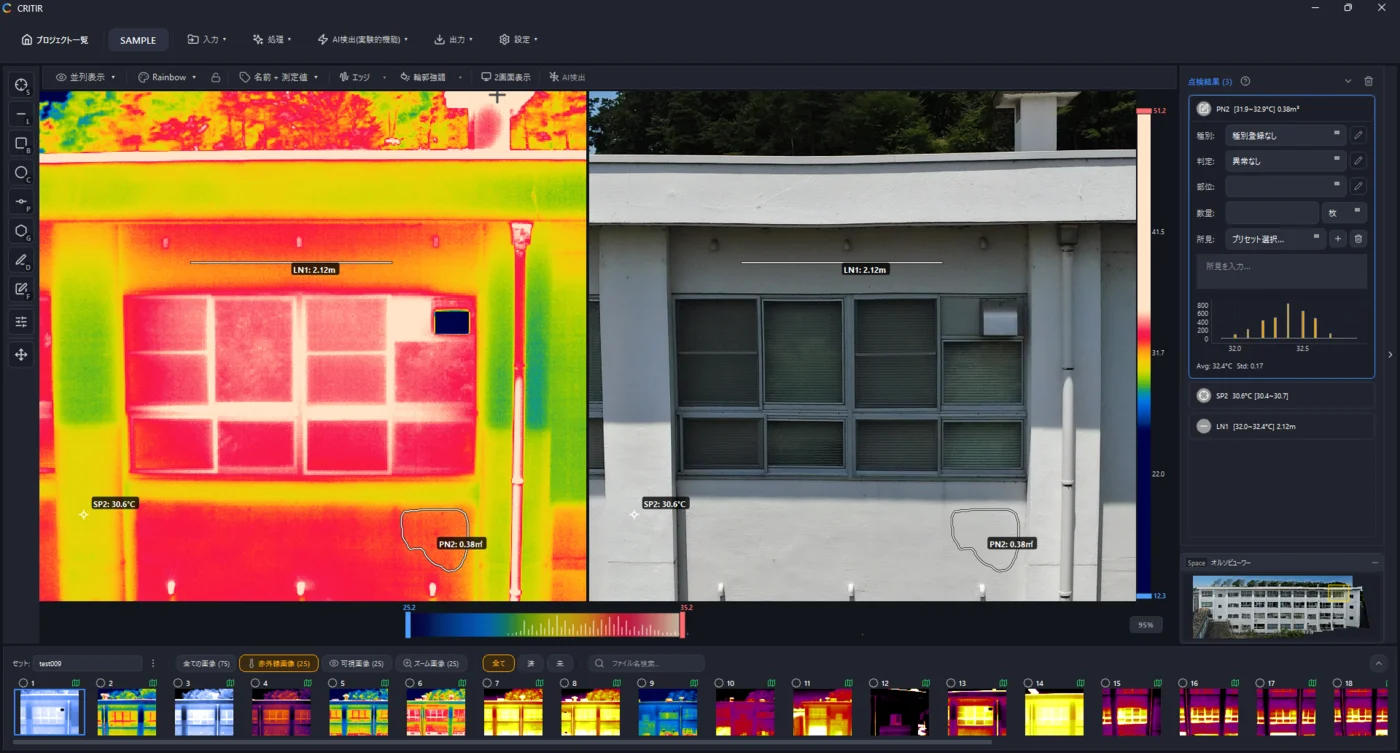
Analyze DJI thermal images directly in CRITIR, no conversion needed
Skip the conversion step for DJI R-JPEGs. CRITIR analyzes DJI thermal images directly, generates facade orthoimages, and produces reports — all in one app. Cut the cost and time spent on converter tools and conversion services.
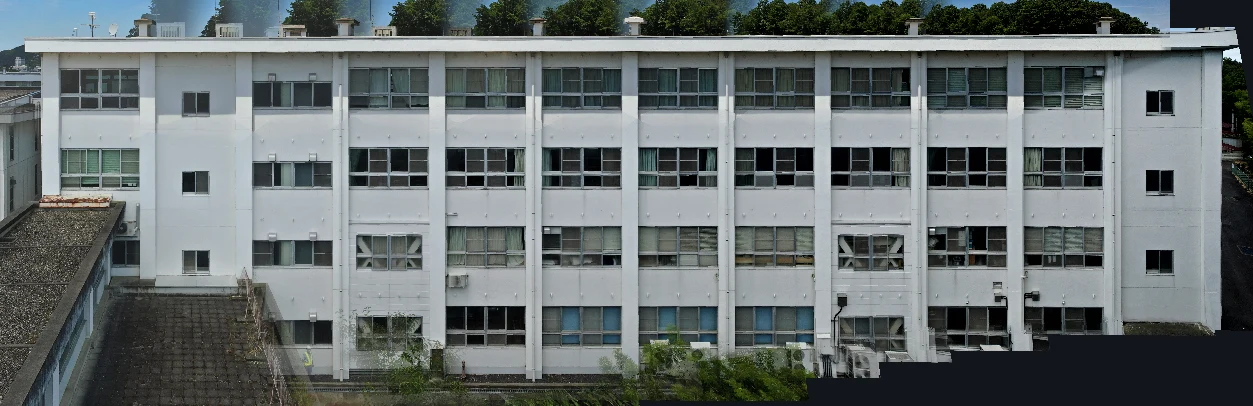
Generate facade and wall orthoimages automatically with CRITIR
A clear walkthrough of how facade and wall orthoimages are built from drone or ground-camera shots, and how CRITIR simplifies the process. Where RealityCapture (RealityScan) and Metashape require significant manual work for vertical surfaces, CRITIR automates the pipeline — including thermal orthoimages — to streamline facade inspections and defect surveys.
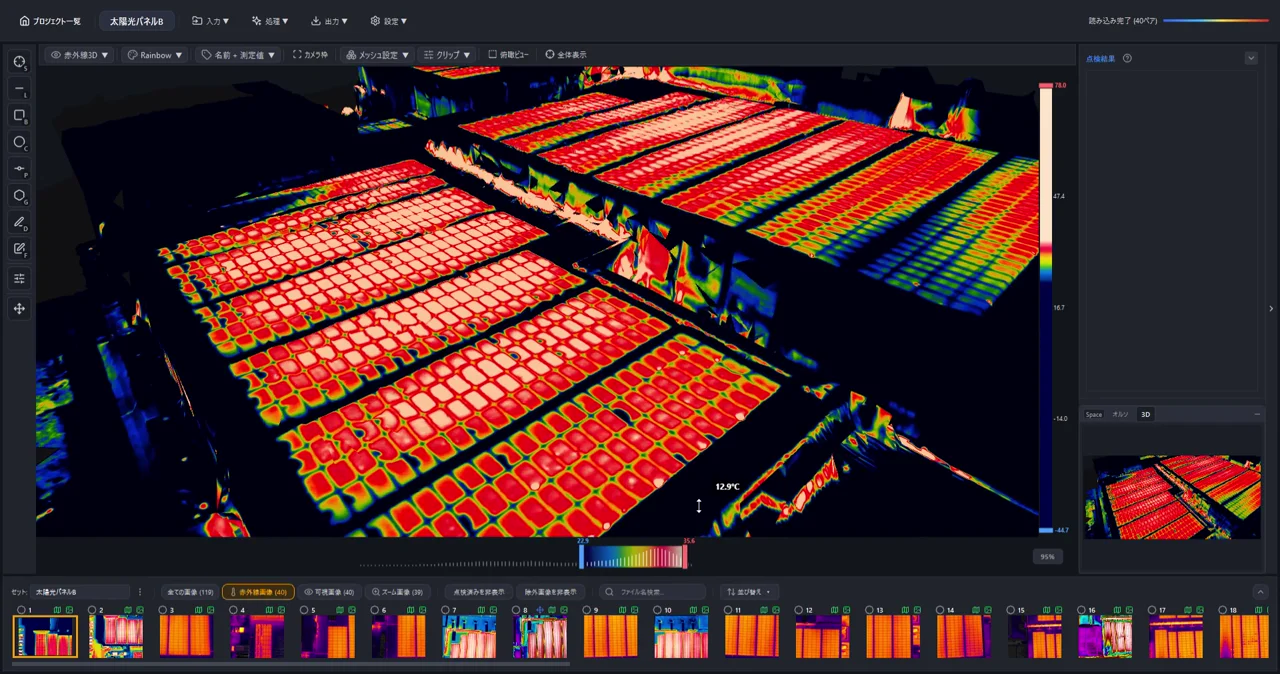
Generate 3D Models from Drone Photos — Build Temperature-Colored (Thermal) 3D Models with CRITIR
Learn how to automatically generate 3D models of buildings and structures from drone or ground-camera photos. With CRITIR, you get a visible-light 3D model plus a temperature-colored thermal 3D model, all linked to measurements and report output — streamlining inspection documentation for complex facades, equipment, and solar panels.